What It's For
Wholesale is for selling to other businesses at bulk prices. It has its own customer list, invoices, and pricing.
Where to Find It
Sidebar → Wholesale
What You'll See
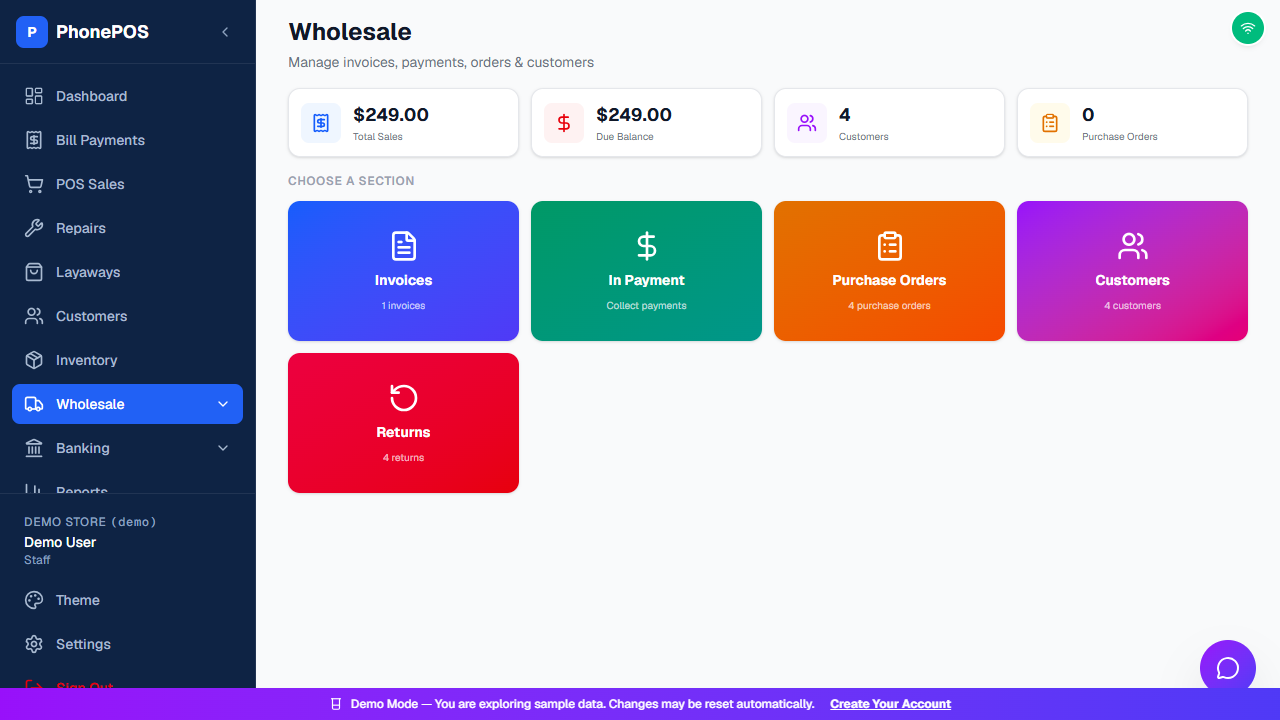
The Wholesale landing page shows summary cards (Total Sales, Due Balance, Customers, Purchase Orders) and a Choose a Section area with five sections:
| Section | What It Does |
|---|---|
| Invoices | Create and manage wholesale invoices |
| In Payment | Collect payments against invoices |
| Purchase Orders | Order stock from suppliers |
| Customers | Manage wholesale (business) customers |
| Returns | Process wholesale returns and credits |
Wholesale Customers
Wholesale customers are separate from retail customers:
- They have opening balances (what they owe you)
- They get wholesale prices (not retail)
- They can have credit terms (pay later)
To add a wholesale customer:
- Go to Wholesale → Customers
- Click "Add Customer"
- Enter business name, contact info, opening balance, credit terms
- Click "Save"
Retail customers and wholesale customers are separated. A customer added for a retail sale or repair does not appear in the wholesale customer selector. Add or choose the account under Wholesale → Customers for a wholesale invoice.
Wholesale Invoices
To create an invoice:
- Go to Wholesale → Invoices
- Click "New Invoice"
- Select the customer
- Add items (uses wholesale prices automatically)
- Set payment terms (due date, etc.)
- Click "Create Invoice"
To record a payment:
- Open the invoice (or go to Wholesale → In Payment)
- Click "Record Payment"
- Enter amount and method
- Click "Save"
Use the Tax control in invoice totals to review whether tax is applied. Enter the required Discount and confirm the totals update before saving. Empty amount fields show a zero placeholder; you can type the amount directly without first deleting a pre-filled zero.
Purchase Orders
For ordering from suppliers:
- Go to Wholesale → Purchase Orders
- Click "New Purchase Order"
- Select the supplier
- Add items and quantities
- Click "Create"
Returns & Credits
For wholesale returns:
- Go to Wholesale → Returns
- Click "New Return"
- Select the customer and invoice
- Add returned items
- Click "Create Return" (creates a credit)