What You'll See
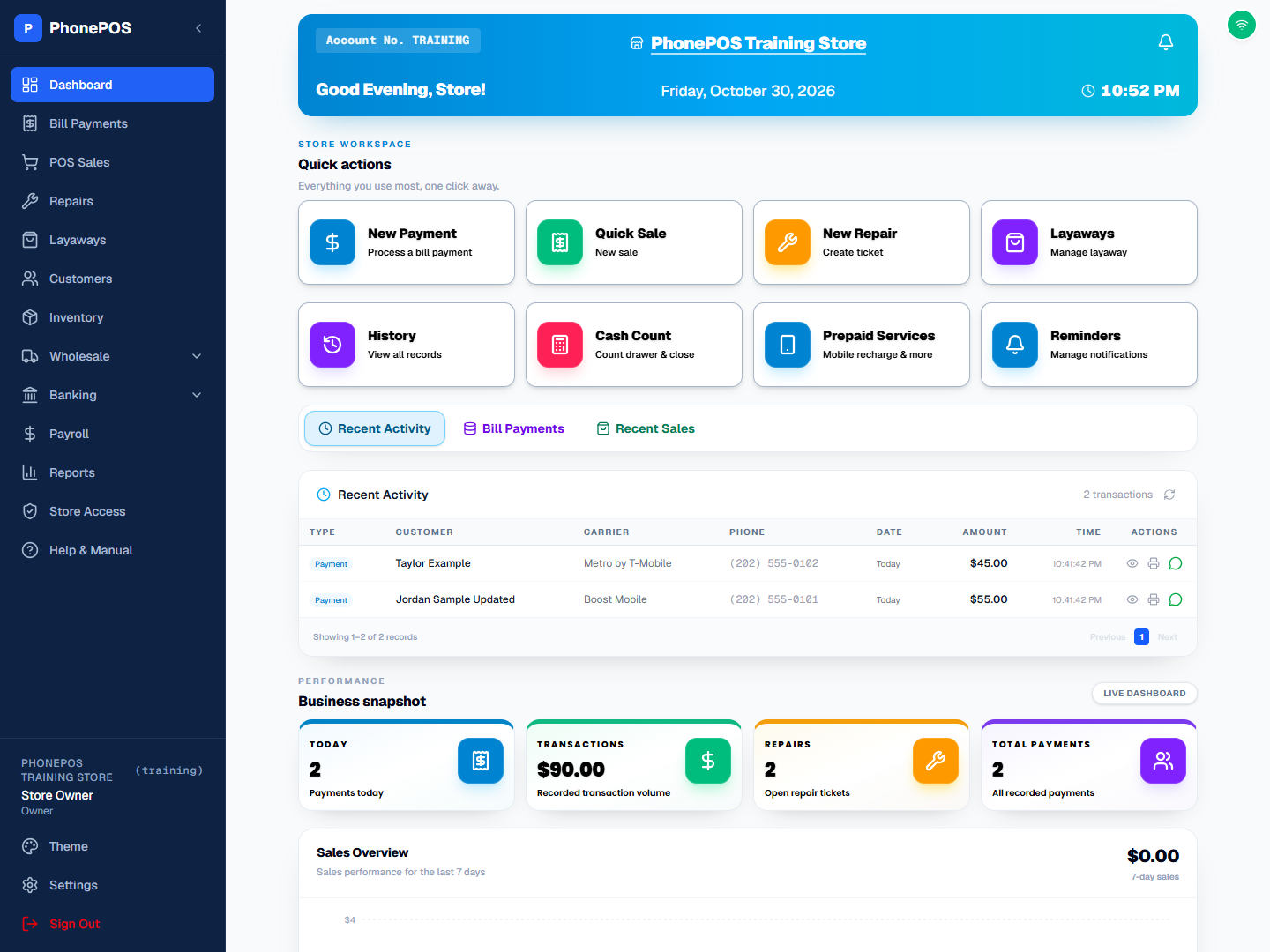
The Dashboard is your home base. Store workspace groups the quick-action cards together. Recent activity appears below the cards, followed by the Business snapshot and charts. It shows:
| Element | What It Shows |
|---|---|
| Quick Actions | New Payment, Quick Sale, New Repair, Layaways |
| Tools | History, Cash Count, Prepaid Services, Reminders |
| Business snapshot | Today's payments, recorded transaction volume, open repairs, and all recorded payments |
| Recent Activity | Latest transactions and sales |
What You Can Do
- Click any quick action tile to jump to that feature
- Click History to see all past transactions
- Click Cash Count to count your drawer and close the day
- Click Prepaid Services to sell mobile recharge, wireless plans, gift cards, and more
- Click Reminders to view and manage notifications
- View recent activity at the bottom of the page (switch between Recent Activity, Bill Payments, and Recent Sales)
Understanding the Stats Cards
| Card | Meaning |
|---|---|
| Today | Payments recorded today |
| Transactions | Recorded transaction volume |
| Repairs | Number of active repair tickets |
| Total Payments | All recorded payments |