What It's For
The Customers section is your customer database. Track who bought what, contact information, and visits.
Where to Find It
Sidebar → Customers
What You'll See
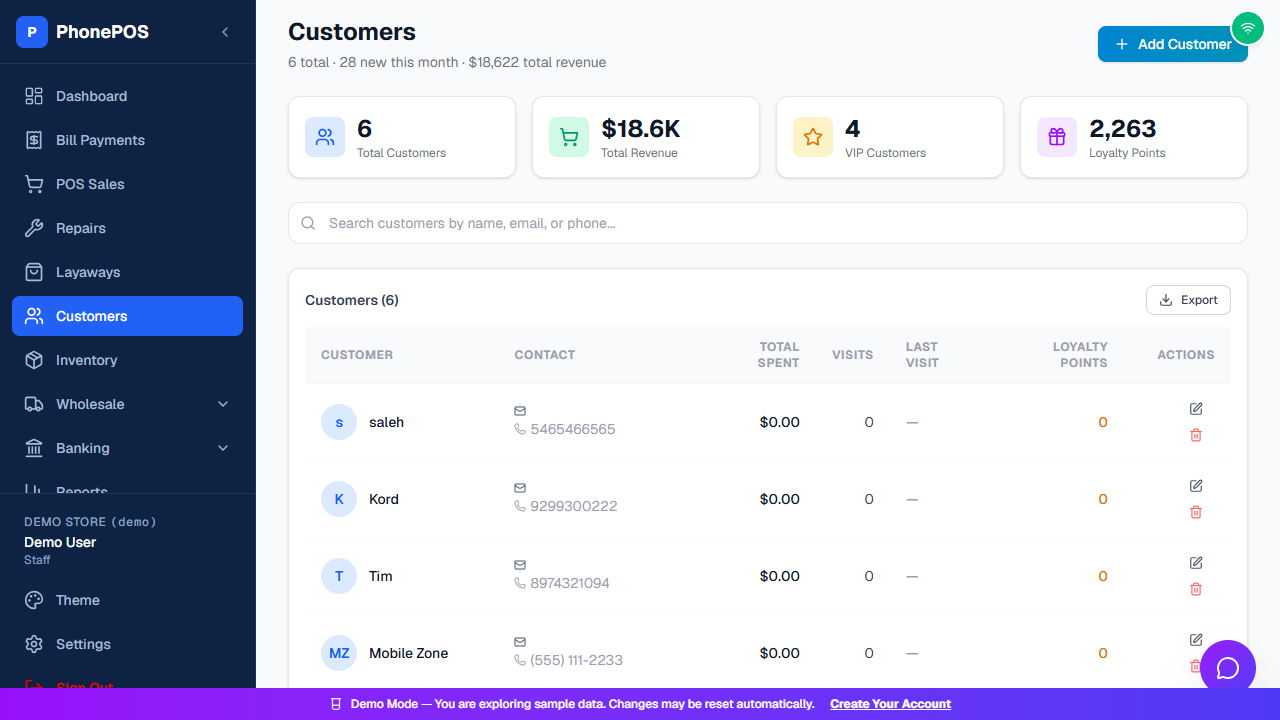
At the top you'll see summary cards: Total Customers, Total Revenue, VIP Customers, and Loyalty Points. Use the search box to find a customer by name, email, or phone, and click Export to download the list.
| Column | Meaning |
|---|---|
| Customer | Customer name |
| Contact | Phone and email |
| Total Spent | Lifetime purchases from your store |
| Visits | Number of visits |
| Last Visit | Date of the most recent visit |
| Loyalty Points | Points earned |
| Actions | Edit or delete the customer |
How To: Add a Customer
- Click "Add Customer"
- Enter Name (required) and Phone (required)
- Add Email, Address, ID Number, Notes (optional)
- Click "Save"
How To: Find a Customer
- Search: Type name, phone, or email in the search box
- Export: Click Export to download the customer list
Common Mistakes
| Mistake | How to Fix |
|---|---|
| Duplicate customer | Search first before adding — PhonePOS may already have them |
| Can't find customer | Check spelling, or search by phone number instead |