PhoneStore POS by MyBillApps LLC
Keep wireless bill-payment records organized
Bring bill-payment recordkeeping into the same system as your store operations. PhoneStore POS helps wireless retailers organize customer phone numbers, carriers, amounts, fees, notes and receipt history without scattering the records across separate lists.
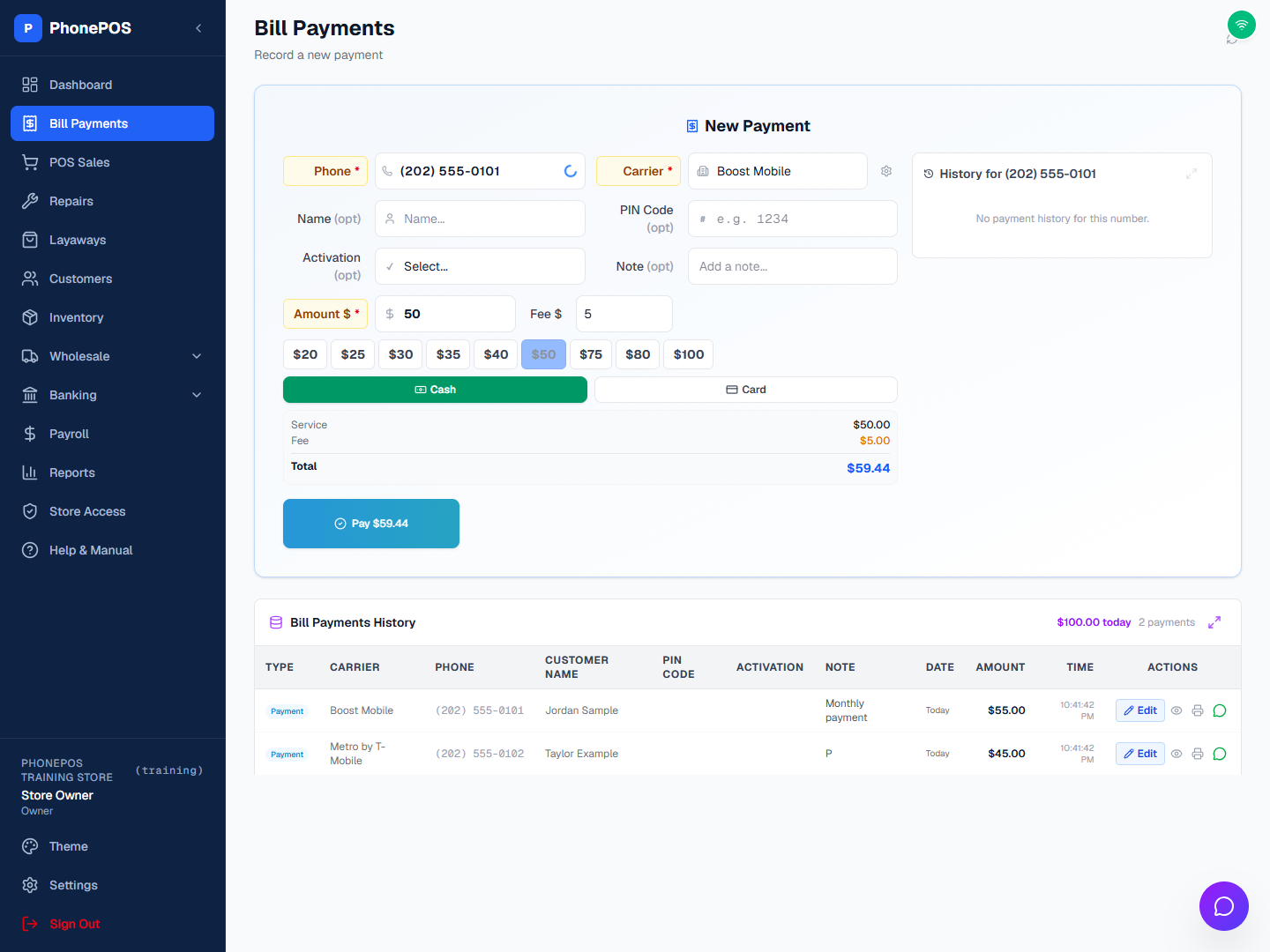
Record the details of each payment
Enter the customer phone number, carrier and amount, with optional name, activation details and notes. Review fees, tax settings and recorded payment method before saving. Saved payments are available in history for lookup and receipt printing.
Maintain your own carrier list and fees
Each store keeps its own carrier list. Authorized owners, admins and managers can manage carriers and custom carrier fees in Settings. A saved custom fee applies to new payments; changing the fee configuration does not rewrite previous transactions.
Search native and imported history
Look up records by phone, customer name, carrier, note or payment ID, activation, and date range. Supported CellSmart imports appear alongside PhoneStore POS payment history. Export options use the matching records, not only the currently visible page.
Review totals and correct recorded details
Use daily, weekly, monthly, yearly or custom-date filters to review matching totals. Authorized users can correct eligible completed payment records. Corrections are logged with the old and new values, and a failed save should not be treated as a completed update.
Common questions
Does adding a carrier establish a direct carrier integration?
No. A carrier entry identifies records and supports fee configuration. It is not evidence that the software activates service or automatically settles money with that carrier.
Does importing payment history collect money again?
No. Historical imports record previous transactions. Importing them does not collect a new payment or send funds to a carrier.
Can I set different fees for different carriers?
Yes. Authorized users can save custom carrier fees in Settings. Review the fee shown on a new payment before saving it.