PhoneStore POS by MyBillApps LLC
Move supported CellSmart records into PhoneStore POS
Start with a supported export, review it before importing, and keep your original file. PhoneStore POS offers import workflows for bill-payment history, legacy repair records, and layaway plans and schedules. The scope depends on the data available in your export.
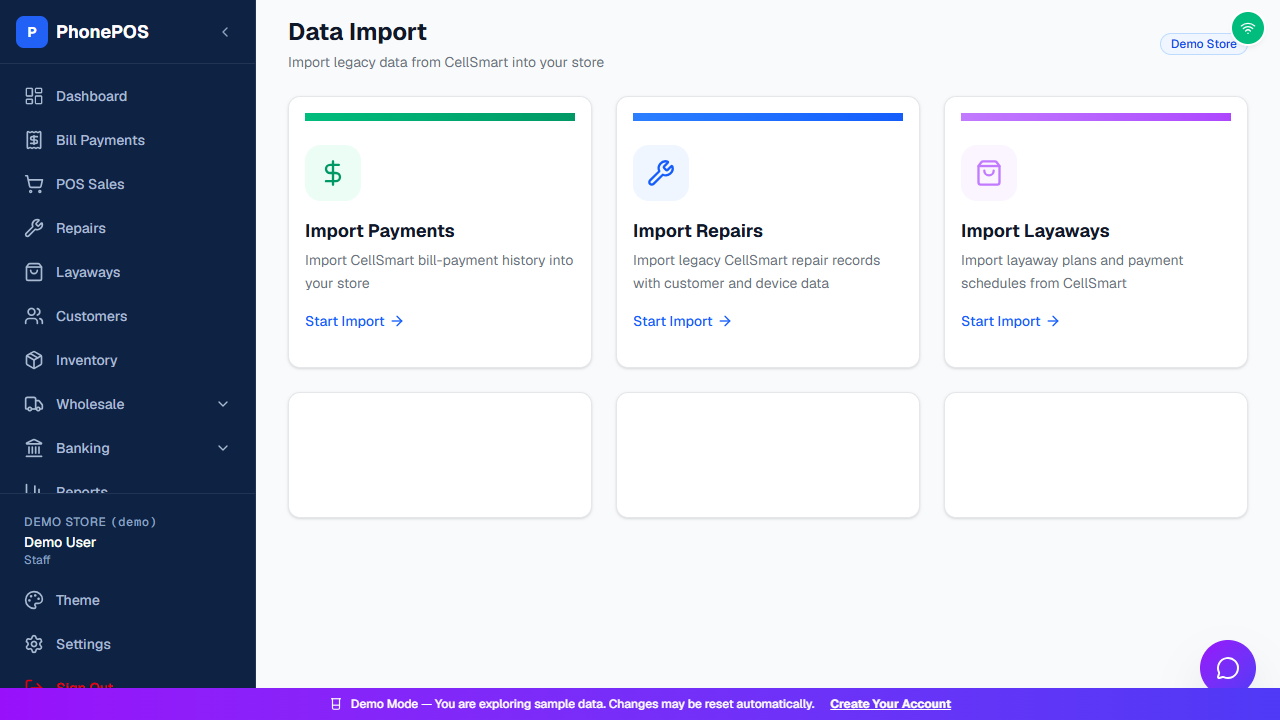
Choose the right export and importer
Use the Payments, Repairs or Layaways importer for the corresponding records. Supported formats are CSV or Excel as specified by that importer. For bill payments, supported reports include the dedicated bill-payment report and eligible rows from transaction-list exports.
Review the preview before confirming
Check the destination store, row counts, dates, carriers, customer information, amounts, warnings and duplicate counts. Fix blocking errors, review warnings and only then confirm. Avoid launching a second import while the first confirmation is still running.
Treat missing information honestly
An export without carrier details cannot recreate the missing carriers. A placeholder device identifier is not a valid IMEI. Obtain a better report, correct the source data, or review the applicable warning rather than inventing information. PDF conversion is not built into the importer.
Keep a migration record
Retain the original source file and import result. When importing additional years, review overlapping records and duplicate counts. If a batch is wrong, identify its store, filename and batch before requesting support; do not delete unrelated live transactions.
Common questions
Will every part of my CellSmart account transfer automatically?
No. This page describes supported payment, repair and layaway imports, not a complete automatic copy of every account setting or record type. Review the export and importer before relying on a field being transferred.
Can I upload a PDF report directly?
No. PDF conversion is not built into these importers. Prepare a supported CSV or Excel file before uploading it for preview.
Can I import several years of history?
You can prepare separate supported batches when the source cannot export all years together. Check dates, amounts and duplicate counts for each batch before confirmation.