Sidebar → Payroll is available to Store Owners, Store Admins, and Store Managers.
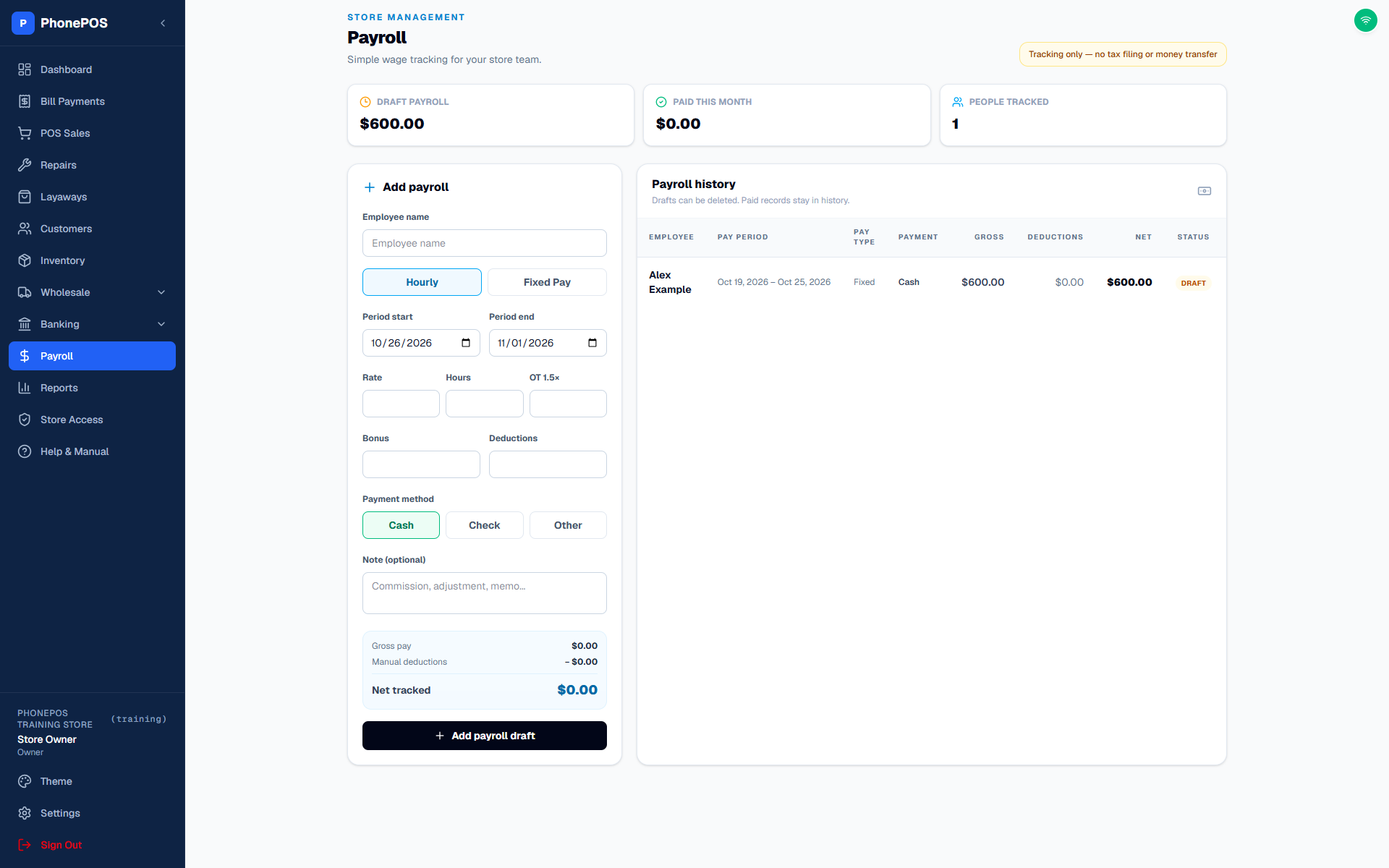
- Add a payroll entry and choose the employee and pay period.
- Enter hourly pay/hours or a fixed amount, with any bonus and deductions.
- Review gross and net pay before saving the draft.
- Choose Cash (default), Check (with its check number), or Other to record how the employee was paid.
- Mark the entry paid only after you have made the payment. Review the confirmation and the paid date.
Payroll records and summary cards help track drafts and paid amounts for the selected store. Recording payroll does not itself send a bank transfer. Owners and Admins can download payroll through Settings → Data Export.